MRT Fireware research Lab
MRT User Guide For 2.3.4.1 version
E-mail: 334654353@qq.com
Tel: +86-027-82621261
CHINA·WUHAN
2010-3-1
CONTENTS
1.1. WD repairing founction introduction
1.1.1. MAVELL ROYL (Triangle board)Series
1.1.2. MAVELL(L board) Series
1.2. HITACHI2.5” function features.
MRT-WH Software designated sales agents
1.3. main menu
1.4. operating area introduction
1.8. Confirm series
1.10. Confirm the access method
1.11. description
1.12. ROM
1.12.1. Distill and Unite
1.13. Kill head
1.14. Kill sector
1.15. S.M.A.R.T and defect compiler
1.16. G-List and P-List
1.17. head map
1.18. Adaptive Parameters
Generate Firmware
1.19. description
1.20. generate modules dir
1.21. generate ROM
1.21.1. Generate ROM from the module
1.21.2. Auto Adapt ROM
1.22. description
1.23. modules test
1.24. track test
1.25. SA defect test
1.26. description
1.27. modules dir
1.29. editing modules
1.30. import modules
1.31. export modules
1.32. Distill module from the track
1.33. Write modules back to track
1.33.1. original address to write
1.33.2. changing address to write
1.34. changing the Micro modules adress
1.35. description
1.36. reading WD (triangles board) firmware by using PC3000
1.36.1. directory mode
1.36.2. track mode
MRT2.3.4.1 Introduction
Preface
MRT-WH software that hard drive disk trade has been expecting to repairing WD and HITACHI2.5” HDD is now showing at the market. It is one of the few software which provided with powerful function to repair WD and HITACHI 2.5",It can rapidly improve the efficiency of maintenance work. We have devoted all our efforts of years to this software. It is remained that MRT has always been stressing the style of powerful function and easy operation. Believed that it can certainly become a great assistant of yours.
It can use in both date recovery and HDD repairing,It is used with the UDMA and PCI-PC3000 to support WD drives , It has realized peculiar way of reading and writing by modules or ROM and tracks. The procedure has designed the templates to adaptive head, It is easy to be known how to adaptive head. To generate ROM from firmware, This is not completely solved that the other software to auto modify ROM modules Adapter Parameters. MRT-HITACHI2.5” procedure provides a quick calculation of starting address of date area. It can rapidly generate adapter parameters of NV-ROM. Increased some functions of WD--DragFly1, DragFly2 and DragFly4 in MRT 2.3.4.1 version.
Function Introduction
WD Function description
MAVELL ROYL(triangle board) series:
1) Program can automatically load the series parameters.
2) Display directory, normally read and write firmware by PCI -pc3000 2.27 version or later one.
3) To make PCI-pc3000 supports converting the firmware, generate modules table and track table.
4) To make PCI-pc3000 supports reading and writing modules and tracks which HDD can not be identified.
5) View the track which the modules belong to and address which the track is at .
6) Test track, test modules.
7) Changing module address.
8) Transfer micro program modules.
9) Import and export module,uniting tracks by modules operating .
10) Automatic identification adapter module.
11) Discretionarily Kill head, meanwhile auto modify SA defects and data adapter.
12) Generate ZONE 03 module.
13) Kill section.
14) Edit ID、modify the firmware version.
15) Clear S.M.R.A.T , Clear defects compiler.
16) Edit defects list,clear P-LIST and G-LIST.
17) Remove defective head.
18) Generate ROM and ROM modules from modules.
19) Distill the ROM module, Unites the ROM module.
20) Display the ROM dir.
21) Kill ROM head ,meanwhile auto modify ROM modules adapter.
22) View and edit the ROM SA defects.
23) Launching the self-calibration and modify log.
MAVELL (L board) series:
1) Display modules dir, edit and modify modules.
2) Test modules.
3) Compile modules address.
4) Auto identification adapter module.
5) Adjust the adapter, and load the ROM adapter and external adapter.
6) Kill sector.
7) Edit ID、modify the firmware version.
8) Clear S.M.R.A.T , Clear defects translator.
9) Edit defects list,clear P-LIST and G-LIST.
10) Remove defective head.
11) Display ROM dir.
12) Generate ROM-47 from modules.
13) Kill ROM head ,meanwhile auto modify ROM modules adapter
14) Work with ROM database
15) Generate ROM from firmware,meanwhile auto modify ROM modules adapter and head map.
16) Launching the self-calibration and modify log.
HITACHI 2.5” Function description
1) Program can automatically load the series parameters.
2) Display modules dir, edit modules.
3) Find out data area starting address.
4) Discretionarily Kill head,meanwhile generate sector and data adapter module.
5) Generate original ZONE modules.
6) Quickly generate adaptation data for NV-ROM.
7) Edit ID, modify LBA content.
8) Clear P-LIST、G-LIST.
About buying
1、MRT-WH English version unified price:$1200.00(Does not include express costs).
MRT-WD English version unified price:$600.00(Does not include express costs).
2、You can pay by PayPal, please contact us to learn detail.
3、Software with installation CD and the dongle.
4、Users can be free to receive WD, Hitachi maintenance technology video; and a lot of hard disk firmware.
5、Common upgrades are free, but major feature upgrades will be paid .
contact us
Author:Chen ShunXue
QQ :334654353 PC3K-MRT
12669418
Website :http://www.mrtexp.com
MRT-WH designated sales agents:
|
Name |
联系方式 |
|
Liu WeiMing |
QQ:61026800 |
|
Deng YanJun |
QQ:41909900 |
How to install MRT
1、To run autorun.exe of the installing CD.
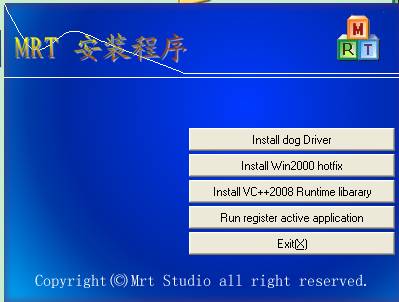
2、Installing the "Sentinel "driver program or the "Sentinel " will be not able to work normally.
If you use Windows 2000 system,You must install Win2000 hotfix(The second option)).
If you fail to install hotfix,then you need to install it in safe mode, Press F8 key when enter system.
3、Installing VS++2008 runing database.
4、 Registration active procedure:
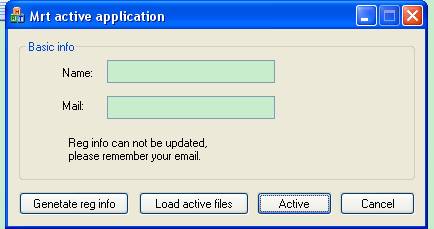
Fills in the name and the registration E-mail, this is very important and cannot change, otherwise the software can not available.
To click generate registration information and send the generate file to the author.
After we accept the registration document, We will be running the opposite registration document and installing program.
After verification,We will be sending you the “ Setup.rar”.
Open the “Setup.rar”,To run“MRT Active procedure”again.
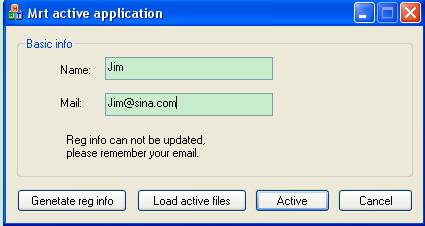
Click “Load active files”:
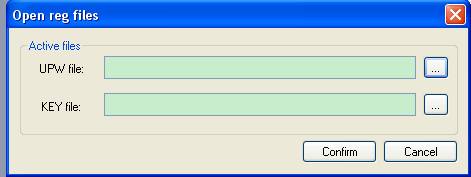
Find out “upw” and “ key” document,Click “Confirm”, Then “Active”,completed active work.
To start“Setup.exe”,Always Click "Next" to complete the installation.
Software introduction
Main menu
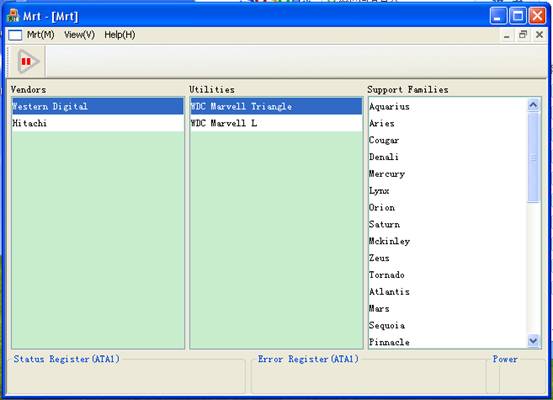
Operating area introduction
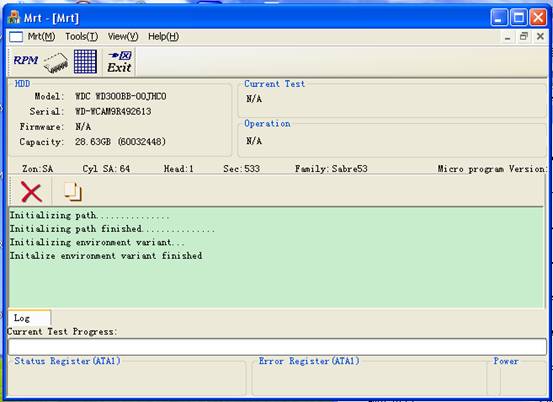
preparing Condition
Description
Mrt is the professional software operating with the firmware files. Not support reading directly from the HDD firmware. It is necessary to use the other tools to read the HDD SA area data before work with the firmware. So the software can be used normally.
Procedure initialization
Description
Only by correctly initialized to make MRT enable normally work. Each of drive parameters is different. MRT can be loaded parameters and calculated correctly after right series selection.
Confirm HDD manufacturer
Each hard drive manufacturers only produces their own series .,For example Western Digital,Hitachi.
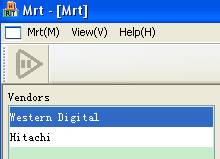
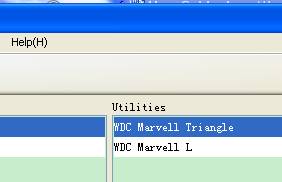
Confirm series
Each company would upgrade their products from time to time, For example WD L board and triangle board.
Confirm the sub-series
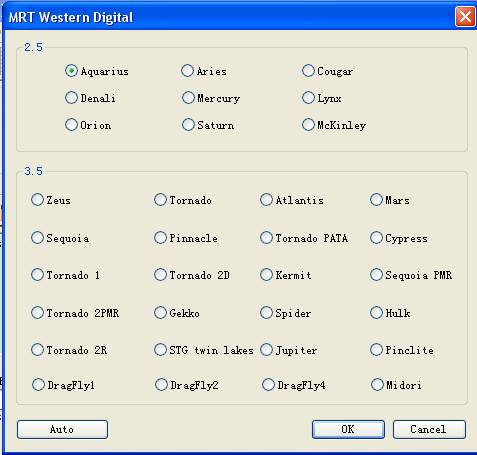
As the different parameters, each family has many sub-series.
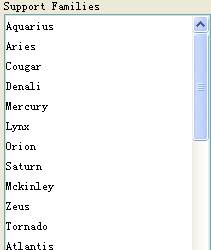
The automatic detection will help you to search the sub-series automatically.
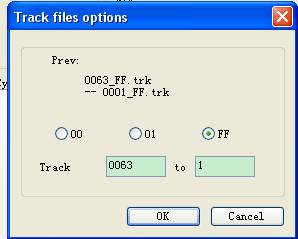
Confirm the access method
“What firmware can you read?”,It is very important.
MRT can support both "Read from modules" and "Read from tracks".
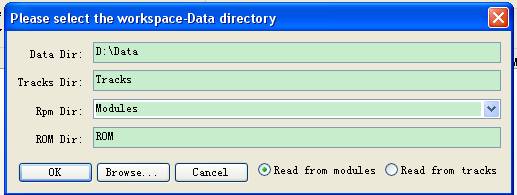
You must load right tracks parameters before reading from tracks.
According to actual situation to modify the parameters.
Work with firmware
Description
The translate utility for firmware. Each firmware corresponds to its own data structures and algorithms, MRT included a number of master algorithms, it is helpful to repair the firmware by algorithms, so the way you work will be very efficient.
ROM
Distill and Unite
ROM consists of individual sub-module. The Distill is the process that get the ROM into individual sub-module, The Unite is the opposite work.
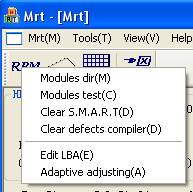
“ROM tools àdistill /unite ROM”
Kill head
Work with the damaged head. This can repair the hard disk, but will reduce the capacity.
Operating procedure:
“modules ->kill head”,display a dialog window of kill head,as follows:
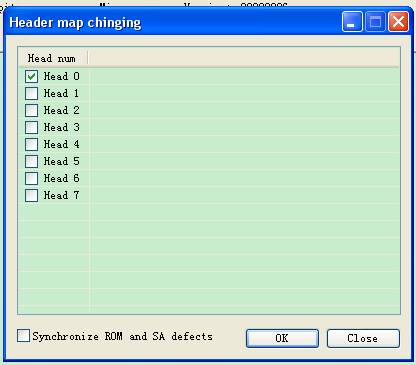
This is work for killing head 0. Click “confirm”, then write the modules of log to the HDD.
Kill sector
Work with the damaged sector.
Operating procedure:
“modules ->Edit LBA”
Display a window “LBA view” as follows:
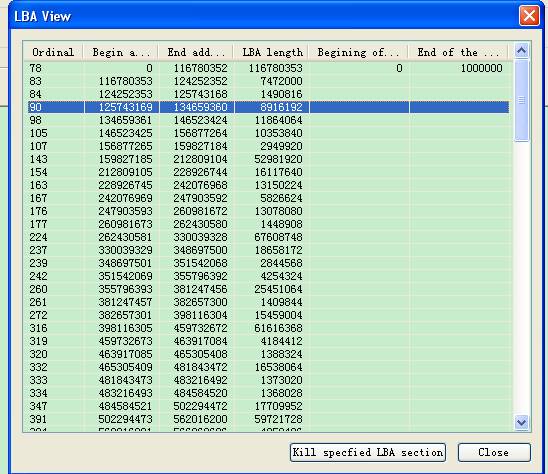
Import beginning address of damaged LBA, Click “Kill specified LBA section”
Write the modules of log to HDD SA.
S.M.A.R.T and defects compiler
Operating procedure:
“Modules ->clear SMART/clear defects compiler”
Write the modules of log to HDD SA.
G-List and P-List
Operating procedure:
First to open P-List and G-List.
“defects function menu->view G-List/P-List”
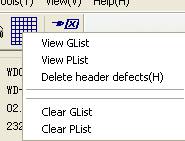
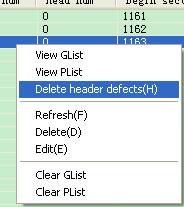
The other work use “Right key menu”
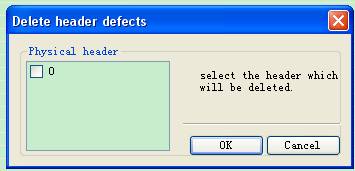
Delete header
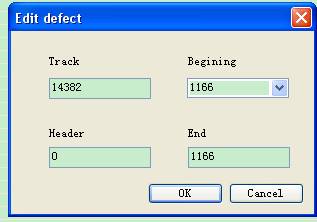
Edit
Head map
Intented for head map modification, you need to do the step when killed head.
Operating procedure:
“ROM tools->kill head”
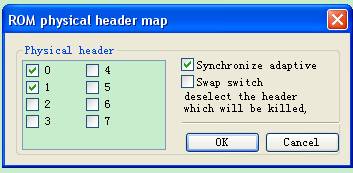
This is to delete 5 and 6 head.
Adaptive parameter
Intented for head parameter modification.
Operating procedure:
“Tools->Adaptive parameter adjusting”,
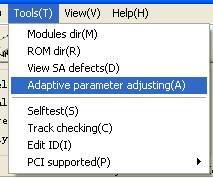
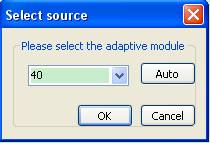
“Select source->Auto”
Select adaptive modules.
Main window
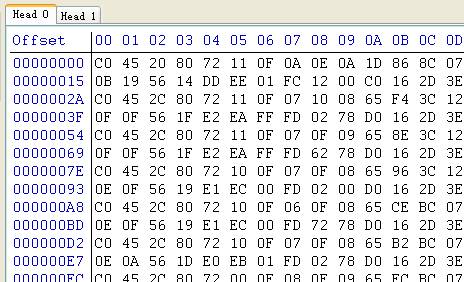
ROM adaptive
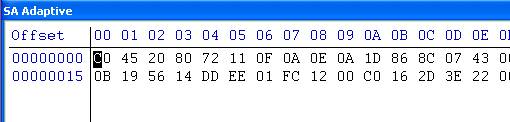
Open the file, and loading adaptive data from outside, then start comparing.
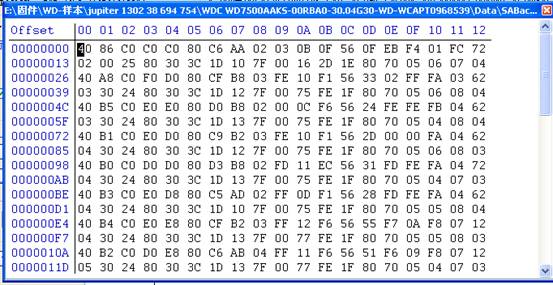
Generate Fireware
Description
Missing original disk firmware can be re-generated by software.
Generate modules table
Generated specific tracks parameter of WD HDD.
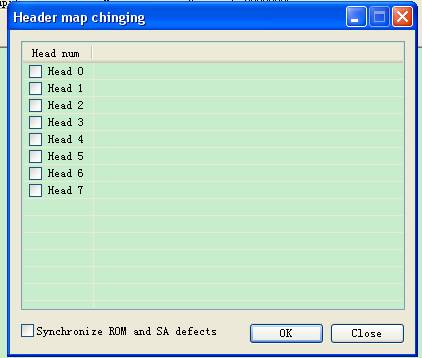
Operating procedure:
The method mostly as the Kill head method, but do not select all the head and “synchronize ROM and SA defects”.
.
Generate ROM
Generate ROM from modules
Operating procedure:
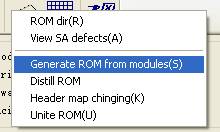
“ROM tools->Generate ROM from modules”
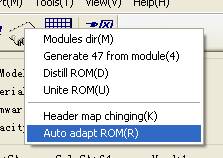
Auto adapt ROM
Intended for resolving the problem how to match WD L board.
Operating procedure:
“ROM tools->Auto adapt ROM”,Click “confirm”.
Malfunction test
Description
Intended for finding out fault of the firmware.
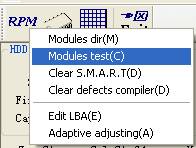
Modules test
Operating procedure:
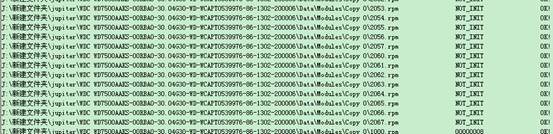
“modules ->modules test”
The red log is fault.
Tracks test
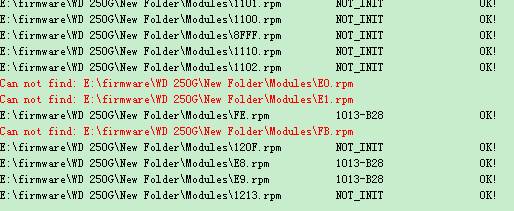
Operating procedure:
“tools->tracks test”
The red log is fault, as follows:
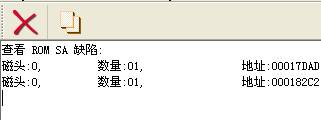
SA defects test
Operating procedure:
“Tools->View SA defects”
Result as follows:
Tracks and modules
Description
Provided changing modules of tracks , It can make the modules of damaged sector get into right sector.
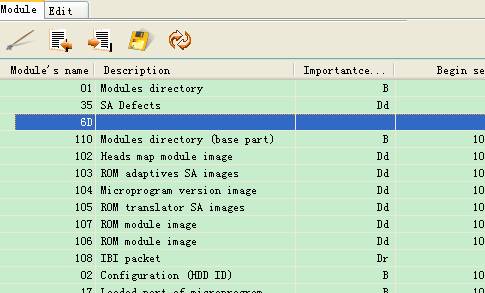
Modules dir
Modules dir main window.
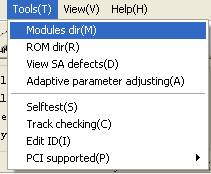
Function menu
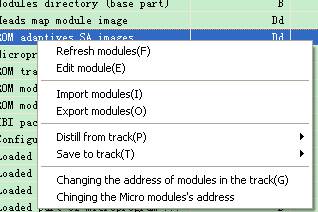
Modules Edit
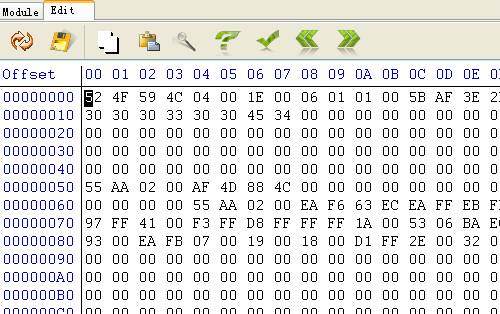
Import modules
“Tools->import modules”
Export modules
“Tools->export modules”
Distill from track
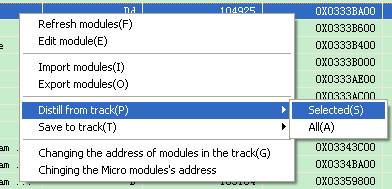
Write modules to tracks
Original address to write
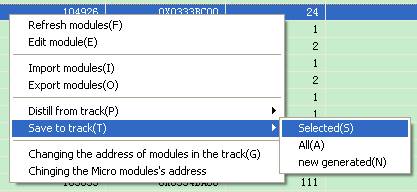
Changing address to write
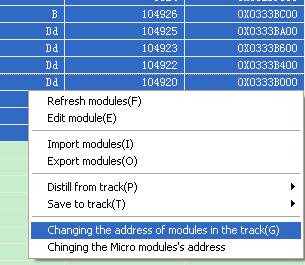
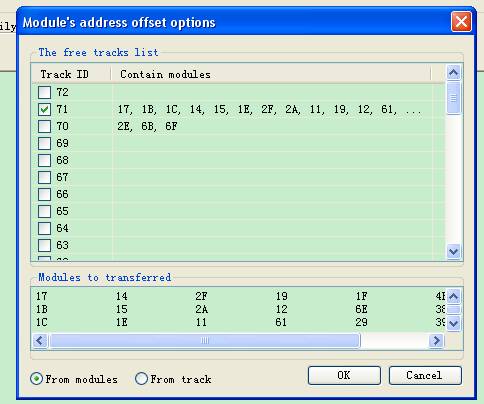
Select the track of need to change.
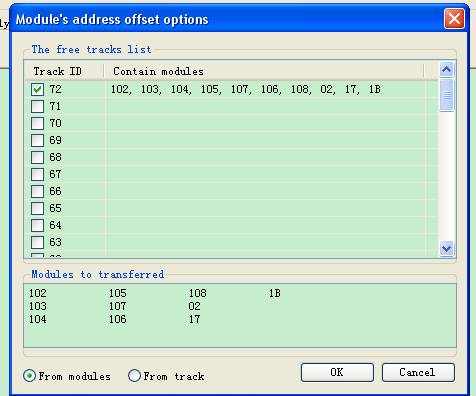
Changing the Micro modules address
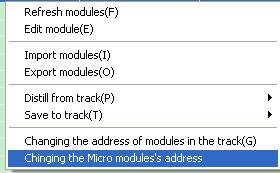
Load backup Micro modules.
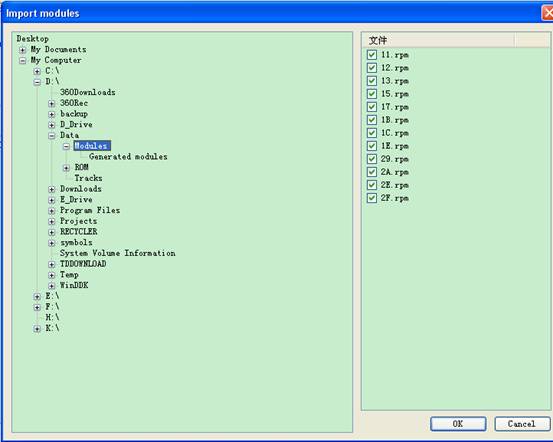
Select the tracks of need to change.
PCI-PC3000 support
Description
Resolved the problem that pci-pc3000 not support WD triangle board series.
It can be read the WD triangle board series firmware by using PCI-pc3000 with MRT.
Reading WD (triangles board) firmware by using PC3000
Directory mode
Display the modules dir correctly by pci-pc3000
Operating procedure:
1)Back up the second largest minus track.
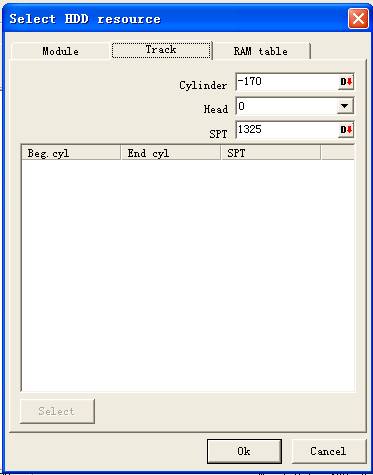
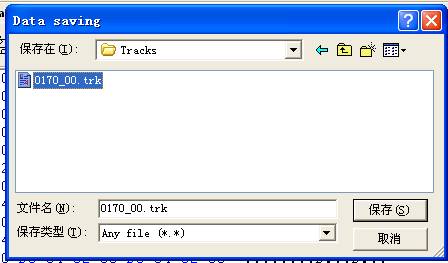
2)Save the showing tracks to Tracks dir,name“xxxx-00.trk”(“xxxx” stand for number of track)
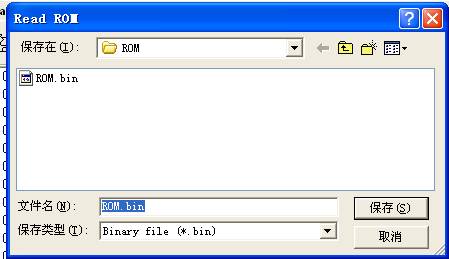
Read ROM
3)Distill ROM.
4)Generate modules dir.
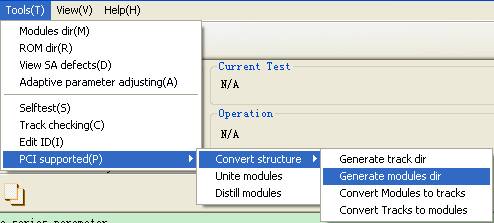
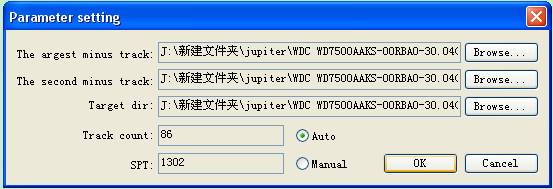
Click “confirm” twice.
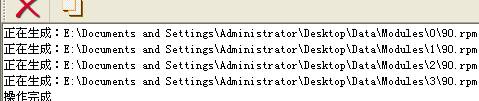
5)Write generated 90.rpm to -1track.
6)Do not off power, reset pci-pc3000.
7)Open the modules dir, PC3000 modules table can be correctly displayed.
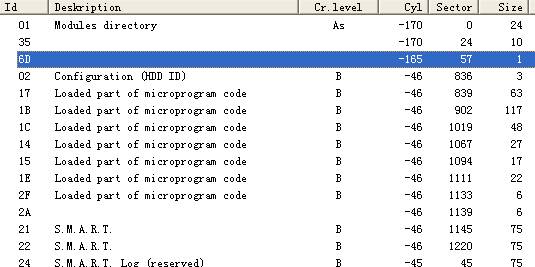
Tracks mode
Repeat the step 1,2,3 of modules dir mode, then work as follows:
1) Generate tracks dir.
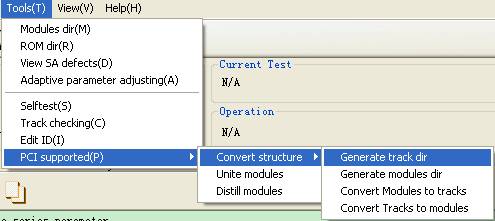
Operating procedure:
“The largest minus track->The second minus track->Generate->Generate list->Current using->ok” window as follows:
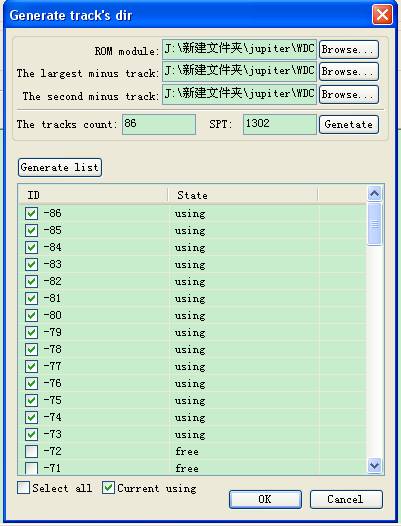
Write generated 90 modules to -1 track of HDD, Do not off the power, reset pc3000.
Delete all the contents of Tracks folder. back up all the modules using PC3000,Save the modules to Tracks folder.
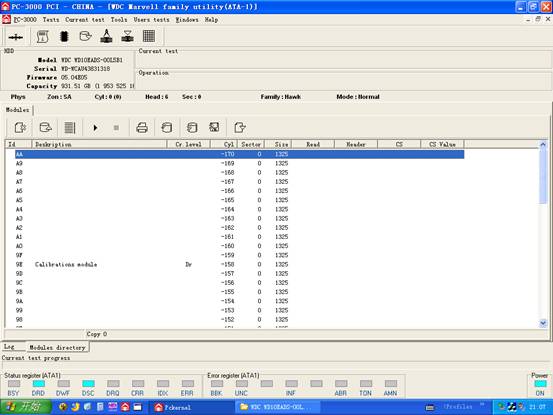
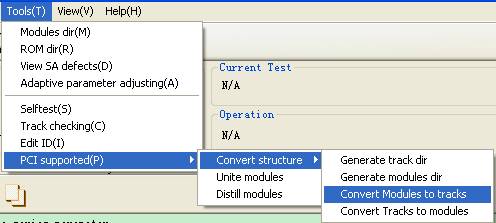
Set up MRT,changing modules into tracks.
Reset MRT,To select “Load 。
Now the firmware can be worked as using UDMA with MRT.
Write the modules to HDD after operating modules.
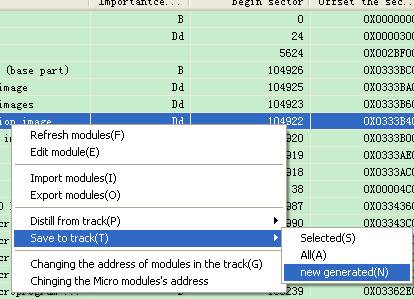
Write the new generated track folder to the HDD.